Blogging about Royal TS/X, Royal Server and Royal Passwords
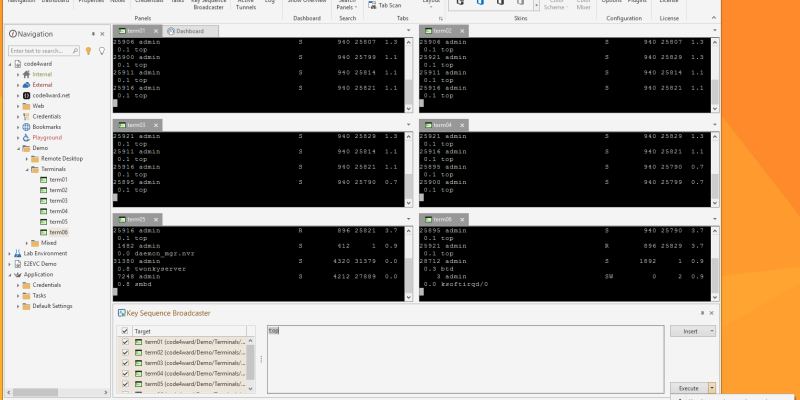
A while back, we got an interesting feature request submitted to our support portal: A key sequence broadcaster panel to send keyboard input to multiple sessions in one easy step.
We’re happy to announce that Royal...

Christmas is almost here, so we have a present for you! It is *drumroll* Royal TSX 2.2.1! This release packs a whole bunch of awesome new features and improvements! Here are some of the outstanding additions in this Roya...
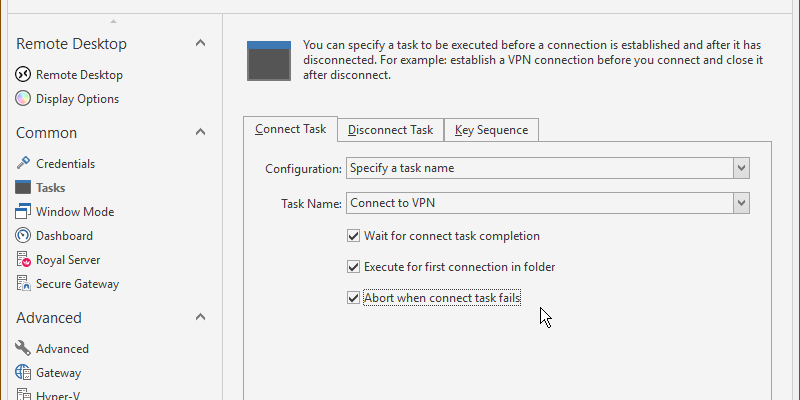
In Royal TS and Royal TSX we have two different task objects: Command Tasks and Key Sequence Tasks. Command tasks can be used to execute a specific command (such as connecting to a VPN) and key sequence tasks can be...
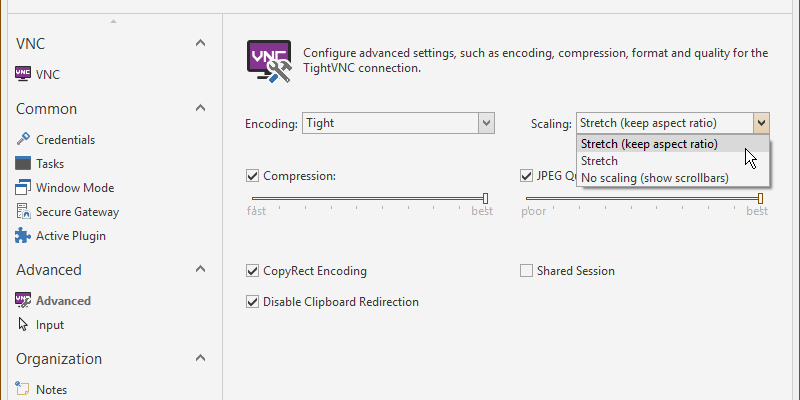
Royal TS gained support for VNC connections a couple of years ago by integrating with external VNC viewer apps (like Ultra VNC and TightVNC). For a long time, this was the only option because of the lack of good VNC comp...
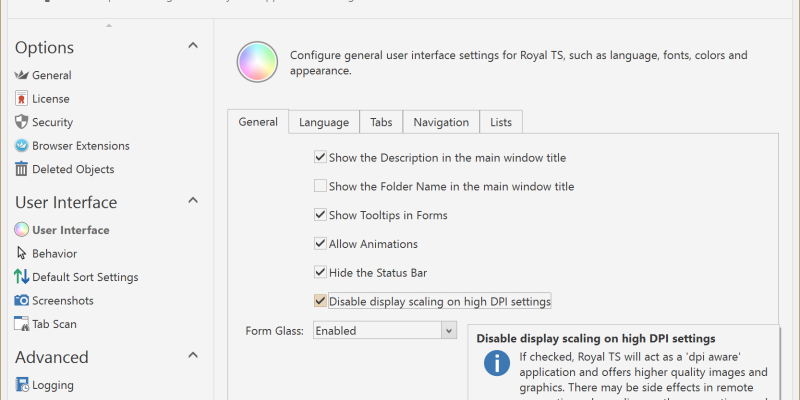
Are you running on a Surface Pro 4 or do you have a fancy new 4k screen? If so, you probably configured Windows to use your high-DPI screen. Most applications are not “DPI aware” and will be scaled up, so that it looks b...
Hello early adopters!
Update: We just released Royal TSX V2.2 which is fully compatible with OS X 10.11 El Capitan! So if you’ve already upgraded to El Capitan we highly recommend you update to Royal TSX V2.2 as soon a...
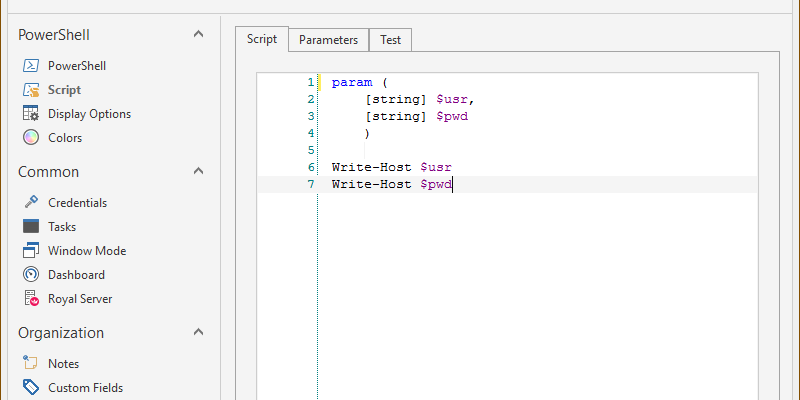
With Royal TS V3.1 we introduced a new PowerShell connection type which allows you to run any PowerShell script and display the results in a grid (for object data) or as text (like the console). In this quick tutoria...


